
Built from clock-ins
Each finished shift becomes an entry with its clock-in and clock-out times, ready to check.
Timesheets and payroll
Every finished shift becomes a timesheet entry. Managers check and approve the hours, and the month closes into earnings statements staff can open on their phone.
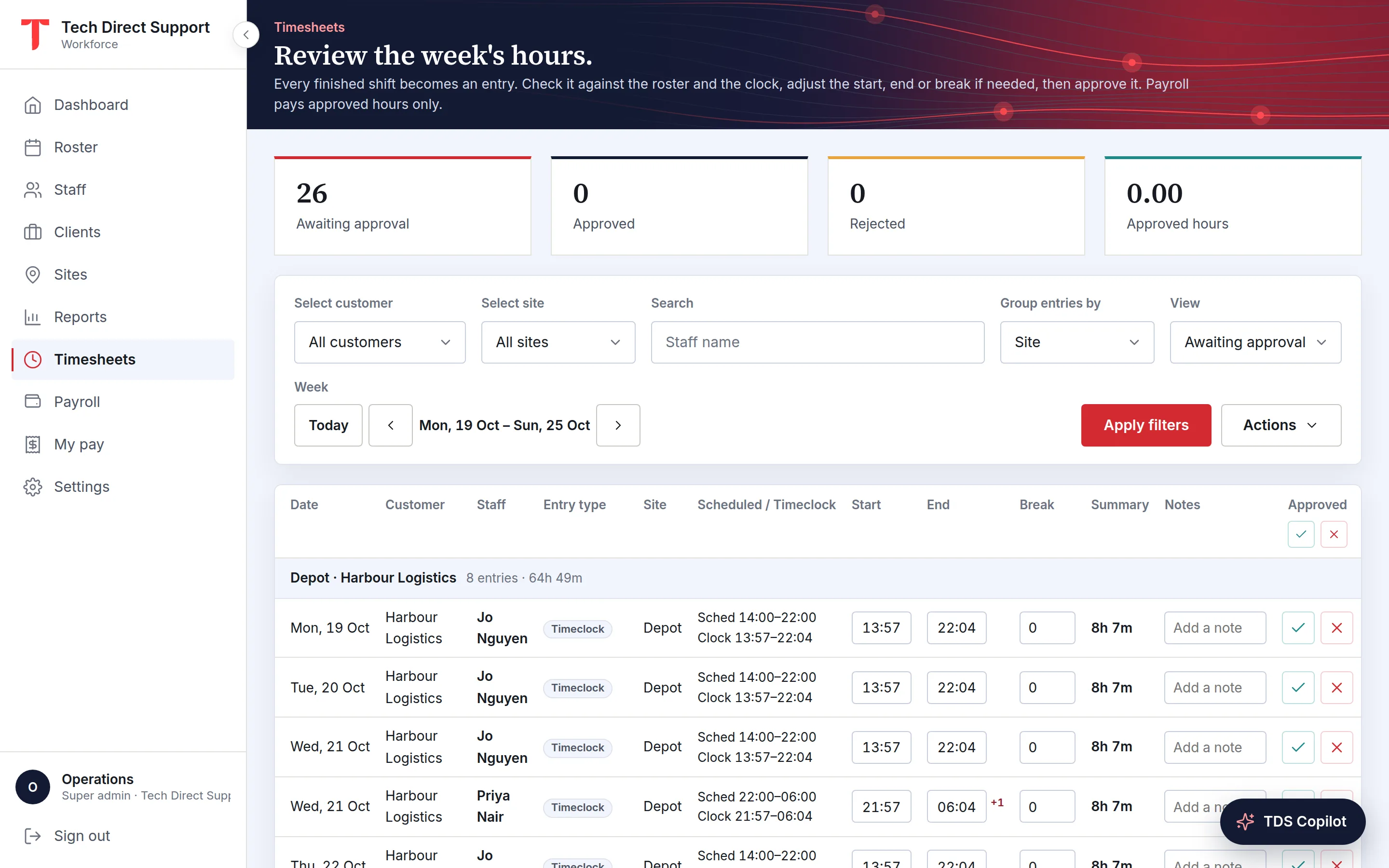
Each finished shift becomes an entry with its clock-in and clock-out times, ready to check.
Adjust the times and unpaid break and approve every entry shown, or let entries close to the roster approve themselves.
Finalising a month locks the figures and emails each person their statement, which is also in the app.
Every published shift that wasn't declined becomes a timesheet entry once it has finished. Until someone reviews it, its times come from the clock-in and clock-out, rounded to the nearest 5, 6, 10 or 15 minutes if your organisation chooses, with the breaks taken in the app as the unpaid break. With no clock-out, the scheduled end is used; with no clock-in, the scheduled times.
You can let entries approve themselves when both the clock-in and the clock-out are within a few minutes of the roster. Anything outside that, a short break, or a manager's own hours still waits for a person.
Managers review their own team, admins review everyone, and nobody can approve their own hours. Work done without a rostered shift goes in as a manual entry, which waits for approval like any other.
Set your organisation's rates once: overtime after so many hours in a day or a week, Saturday, Sunday and night rates, and a public holiday rate on the holidays you keep. Each hour is paid at the highest rate that applies to it, so rates never stack by accident.
Payroll and each person's statement show the hours at each rate, so anyone can see why the total is what it is, and the shifts and hours report estimates pay with the same rates.
Payroll runs per calendar month. Hourly staff are paid for their approved hours in the month, start to end less the break, and salaried staff receive their monthly salary. A month can't be finalised while an hourly entry in it is still waiting, so nothing is paid on unchecked hours.
When an admin finalises the month, the figures are locked as earnings statements. Later rate changes don't alter them, entries in that month can't be edited, and its shifts can't be moved.
If subcontractors supply some of your staff, put those people on the supplier's books and generate the supplier's report for any period: every shift their people worked, with rostered and clocked times and hours, on clock times or approved timesheets.
Someone in the office verifies it, then it goes to your ops team to cross-check, and then to the supplier, each time as an email with the spreadsheet attached. Who verified it and when it went out stay on the report, and nothing about pay is in it.
Statements show gross pay: hours by rate, rates and salary. They aren't tax payslips. TDS Workforce Management applies the rates you set, but it doesn't interpret modern awards or enterprise agreements, and it doesn't calculate tax, superannuation or pension contributions or deductions.
The approved hours go to the payroll system you already use, which issues the payslips: as a timesheet file for Employment Hero's importer, as hours per earnings rate for a Xero pay run, or as Excel or CSV for anything else.
Questions
No. Managers approve hours for their team but never see rates or pay, on the page or in downloads. Payroll is for admins.
Yes. Hourly staff are paid for approved hours and salaried staff their monthly salary, side by side in one monthly run.
Yes. Staff see their own entries and where each stands, on the web and in the app, and open their pay statements under My pay or the app's Pay tab.
Yes, by file. Each month's approved hours download as a timesheet file for Employment Hero's importer or as hours per earnings rate for Xero, matched by each person's payroll code.
Keep reading
Payroll · Timesheets
A step-by-step month-end routine for shift-based teams: close out missing clock-ins, review exceptions, approve hours, lock the month and export to payroll.
Features
Clock-ins checked against each site's radius or made on a site kiosk, with breaks, photos, checklists, signatures and alerts.
Industries
Cleaners rostered across buildings, attendance checked on site, checklists with photo proof, and daily client summaries.
Ask for a demo and we'll walk you through the portal and the app on your time zone. Plans start at A$5 a person a month, with 30 days free. Already set up? Sign in.