
Enforced, not just recorded
A site can require licences. Nobody without each one, verified and in date, can be rostered or clock in there.
Licences and compliance
Keep every licence, check and certificate with its number, expiry and a scan. Sites can require them, and the roster, publishing and clock-in all refuse anyone who doesn't hold them.
A site can require licences. Nobody without each one, verified and in date, can be rostered or clock in there.
NSW security licences, white cards and traffic control cards are looked up on the NSW register automatically: daily, weekly or on demand.
Read the QR code on a first aid certificate and verify it against the training provider's own record.
A licence is issued by a regulator: a security licence, a firearms licence, an electrical licence. A compliance is a check or document on file: a police check, a working with children check, a site induction, a medical certificate. TDS Workforce Management keeps both on each person's record with the number, issuing state, class, expiry date and a scan.
A licence counts only once an admin ticks Verified. Changing its number or expiry clears that until it's checked again, and every change is kept in the person's licence history.
Mark the licences a site needs and the rule follows everywhere. The shift form won't save someone who lacks one, hasn't had it verified, or whose licence will have expired by the shift's day. Publishing skips those drafts and lists them first, copies skip them, and a clock-in is refused with a message.
Each day, managers are emailed the published shifts in the next 14 days whose person no longer holds a valid licence for the site, so a lapse doesn't surface on the morning of the shift.
When a licence is renewed, the person photographs it in the app and sends it in. Admins get a push, review it on the staff record, and approve it, which saves it as verified with the scan on file, or reject it with a reason the person sees.
Licences are checked for you every day, looked up with the regulator automatically, and you can check them yourself whenever an audit, a tender or a new client asks.
If the register shows a licence expired, suspended or cancelled, its verification is removed straight away, so the person can't be rostered or clock in where it's required, and admins get an email and a push. A licence that's current but with a different expiry, or that isn't found, is flagged for someone to look at. Every look-up is kept in the licence history.
First aid and many other certificates carry a QR code that leads to the training provider's own record. Read it from the scan on file, or with the computer's camera, open the issuer's record, and confirm the details match: the licence is verified and the link is kept for audits. It works on certificates sent in from the app too, before they're approved.
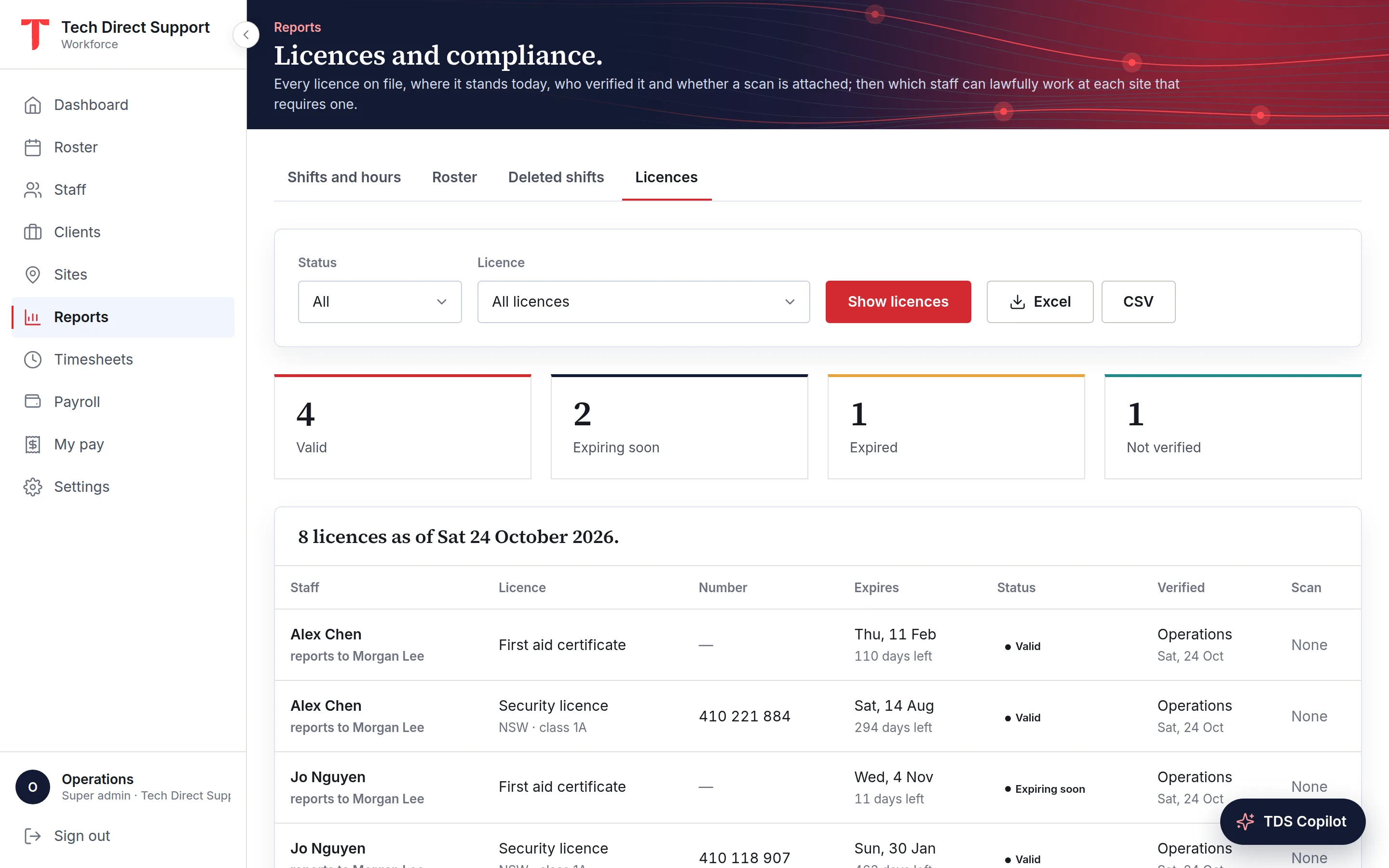
The licences report lists every licence of everyone you manage with its status, number, expiry, who verified it and when, and whether a scan is on file. Below it, for each site that requires licences, it lists who can lawfully work there today. It downloads as Excel or CSV.
The organisation's own renewals, such as its master licence, insurance and workers compensation, are tracked too, with warnings 60, 30, 14 and 7 days before each falls due.
Questions
No. The same tools cover electricians, cleaners working with vulnerable people, traffic controllers, engineers and anyone else whose work needs a licence or a check. Add any kind you need.
Only admins, the person's managers and the person. Scans are never shown on the roster and are served without caching.
Yes, automatically, for NSW security licences (SLED), white cards and traffic control cards, through the NSW Government's API NSW, which needs a free key for your organisation. Other kinds link to their public register for a manual check. RSA competency cards have no public register, so they're checked from the scan.
Keep reading
Compliance · Australia
Who issues security licences in each Australian state and territory, what to check before rostering a guard, and how to keep licences current across a team.
Compliance · Saudi Arabia
ID or iqama, Qiwa contracts, good conduct certificates and guard licences: what security and field employers in Saudi Arabia check, and how to keep it current.
Industries
Licensed guards on every post, clock-ins checked at the gate, and clients who see the roster and the attendance.
Ask for a demo and we'll walk you through the portal and the app on your time zone. Plans start at A$5 a person a month, with 30 days free. Already set up? Sign in.