
Checked against the site
Each site has its own radius. A clock-in from outside it is refused, and the person is told how far away they are.
Time and attendance
Staff clock in from their phone at the site. Each clock-in is checked against the site's location and radius, and managers hear straight away when someone hasn't turned up.
Each site has its own radius. A clock-in from outside it is refused, and the person is told how far away they are.
An optional photo at clock-in and clock-out, the shift's duties as a checklist, and a signature from someone on site.
If a shift has started and nobody has clocked in, the person and their manager get a push notification.
When someone presses Clock in, the phone reads its position once and sends it with the request. The server compares it with the site's coordinates and radius. Inside the radius, the clock-in is recorded with the distance and the accuracy the phone reported. Outside it, the clock-in is refused with a message saying how far away they are.
Clock-in opens 30 minutes before the shift starts and stays open until it ends. Clocking out records where it happened but isn't fenced, so nobody is stuck on a shift because they walked to the car park.
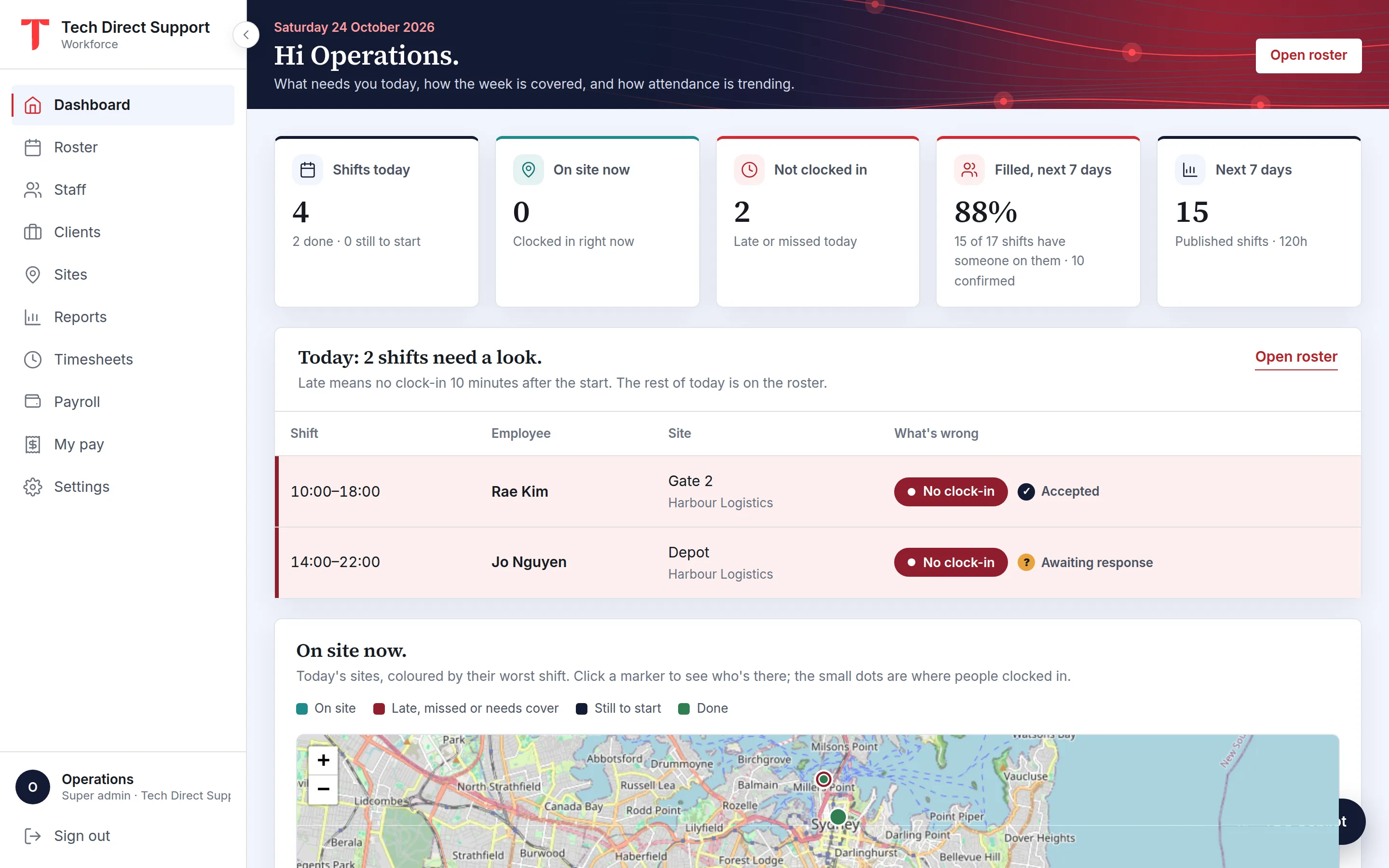
The dashboard shows shifts today, who is on site now and who hasn't clocked in, with today's late, missed, declined and unassigned shifts listed underneath. A map shows each site coloured by its worst shift, with who is there and a dot where each person clocked in.
Open a clocked-in shift on the roster to see the clock-in time against the start time, the distance from the site, the GPS accuracy, a map link, any photos, the duty checklist and the signature.
While someone is clocked in, and if they allow background location, the app watches the site's area. If their phone leaves it mid-shift, your control room gets an email at once with who, which site, the time, how far away and a map link, and their manager gets a push. Another goes out when they're back.
A departure only counts when the phone is clearly outside the site, beyond its radius and the GPS's own margin, so a weak signal at the edge doesn't raise alarms. Anyone off site shows at the top of the dashboard until they're back or clock out, and both moments are in the shift's history.
While clocked in, staff press Start break and End break in the app; clocking out ends a break still going. The breaks become the unpaid break on their timesheet entry, and if your organisation sets a break rule, such as 30 minutes on shifts over five hours, entries that fall short are flagged for whoever approves them.
Where staff don't carry a phone on shift, or a site prefers one fixed device, an admin sets up a kiosk: a tablet at the site showing today's shifts there. Each person taps their name and enters their own PIN, with an optional photo from the tablet's camera. Five wrong PINs lock that person's PIN for fifteen minutes, and the shift's history records that the clock-in came from the kiosk.
Clocking out opens a short sheet. The shift's duties are listed as a checklist, all ticked to start with, and anything left unticked needs a reason. The person can add a photo and ask someone on site to sign with a finger.
Those answers go on the timesheet as a done-out-of-total count, so whoever approves the hours can see what was skipped and why.
The app reads the position at clock-in and clock-out. In between, it doesn't follow anyone's route: if the person allows it, the phone only watches the site's area, and sends one reading if they leave it mid-shift and another when they're back.
That reading goes to your control room by email and to their manager by push, and shows on the dashboard and the shift's history. It keeps the record useful for proving attendance and easy to explain to staff.
Questions
As accurate as the phone's GPS: usually within a few metres outdoors, and less precise indoors or between tall buildings. Each clock-in stores the accuracy the phone reported, and you set each site's radius to suit the site.
A clock-in needs a data connection and a location fix at the moment it's made. If someone can't clock in, their manager can correct the hours on the timesheet or add a manual entry.
Yes. Staff can sign in to the web portal in their phone's browser and clock in there, with the same location check, which covers iPhone users. A site can also have a kiosk tablet where staff clock in with a PIN.
Keep reading
Time and attendance
What a geofence is, how accurate phone GPS really is, how to choose a radius for each site, and how to explain location checks to your staff honestly.
Features
Timesheets built from clock-ins, approved by managers or automatically, paid at your rates, and exported to payroll.
Privacy · UK and Europe
How to use a location-checked clock-in app lawfully under the GDPR and UK GDPR: lawful basis, transparency, DPIAs, data minimisation, retention and transfers.
Ask for a demo and we'll walk you through the portal and the app on your time zone. Plans start at A$5 a person a month, with 30 days free. Already set up? Sign in.